Your first API request.
Detect document boundaries with DocAligner or read machine-readable zones with MRZScanner. Choose a model and follow the example below.
1. Create an API key
Sign in to the console, name your key and select Create key. Save the full key when it appears: it is shown only once. Keys expire after 90 days and can be revoked at any time.
Choose which models this key can call. Existing DocAligner keys keep their original access.
API keysSet DOCSAID_API_KEY in your server environment or terminal. Never embed it in browser code or a public repository. Product API keys are separate from your Clerk login session.
2. Send an image
Send a multipart POST with a file field. Supported: single-frame JPEG, PNG or WebP; at most 768 KiB, 4 million pixels and 4096 pixels per side. The optional do_center_crop=true field limits detection to the center square.
One-time preparation
Use Python 3.12. Download the client and requirements file into the same local folder, then run these commands from that folder. The example’s terminal output is in English. You can use the sample image first.
python3 -m venv .venv .venv/bin/python -m pip install -r requirements.txtPrepare a new job
Put your image at document.jpg, or change that filename in the command. This creates docaligner-job-01 with the prepared input, fixed options and a new operation ID. Review input.jpg before sending. Choose a different job folder for every new image or option set; an existing folder is never overwritten.
.venv/bin/python docsaid-client.py new document.jpg --model docaligner --job docaligner-job-01 --origin https://docsaid.orgPreparation rotates from EXIF, flattens transparency on white, limits the longest side to 1,600 px and compresses to at most 768 KiB. It accepts still JPEG/PNG/WebP files up to 10 MiB and 40 million pixels. Inspect the reduced image for readable text.
Reuse the exact Demo input
Download “Processed input” from the Demo and use --prepared to keep its exact JPEG bytes. The Python and browser encoders can produce different bytes when preparing an original image. For matching Demo options, add --center-crop, --doc-align or --raw-mrz as needed. Use the folder named in this command for the send and inspect steps.
.venv/bin/python docsaid-client.py new docsaid-input.jpg --prepared --model docaligner --job docaligner-demo-01 --origin https://docsaid.orgSend once and keep the response
The tool asks for your API key with hidden input, or reads DOCSAID_API_KEY if already set. It never saves the key, follows redirects or retries automatically. HTTP status, Request ID and any reason code are printed; each attempt’s receipt and response are saved in the job’s attempts folder.
.venv/bin/python docsaid-client.py send docaligner-job-01https://docsaid.org/api/v1/models/docaligner/predictInspect the actual result
After HTTP 200, inspect creates overlay.png next to the saved response.json. Open it beside input.jpg to check the four corners. MRZScanner also prints the returned lines and whether postprocessing was enabled; compare every field with the original document. Coordinates refer to the prepared input, and format checks cannot establish document authenticity.
.venv/bin/python docsaid-client.py inspect docaligner-job-01
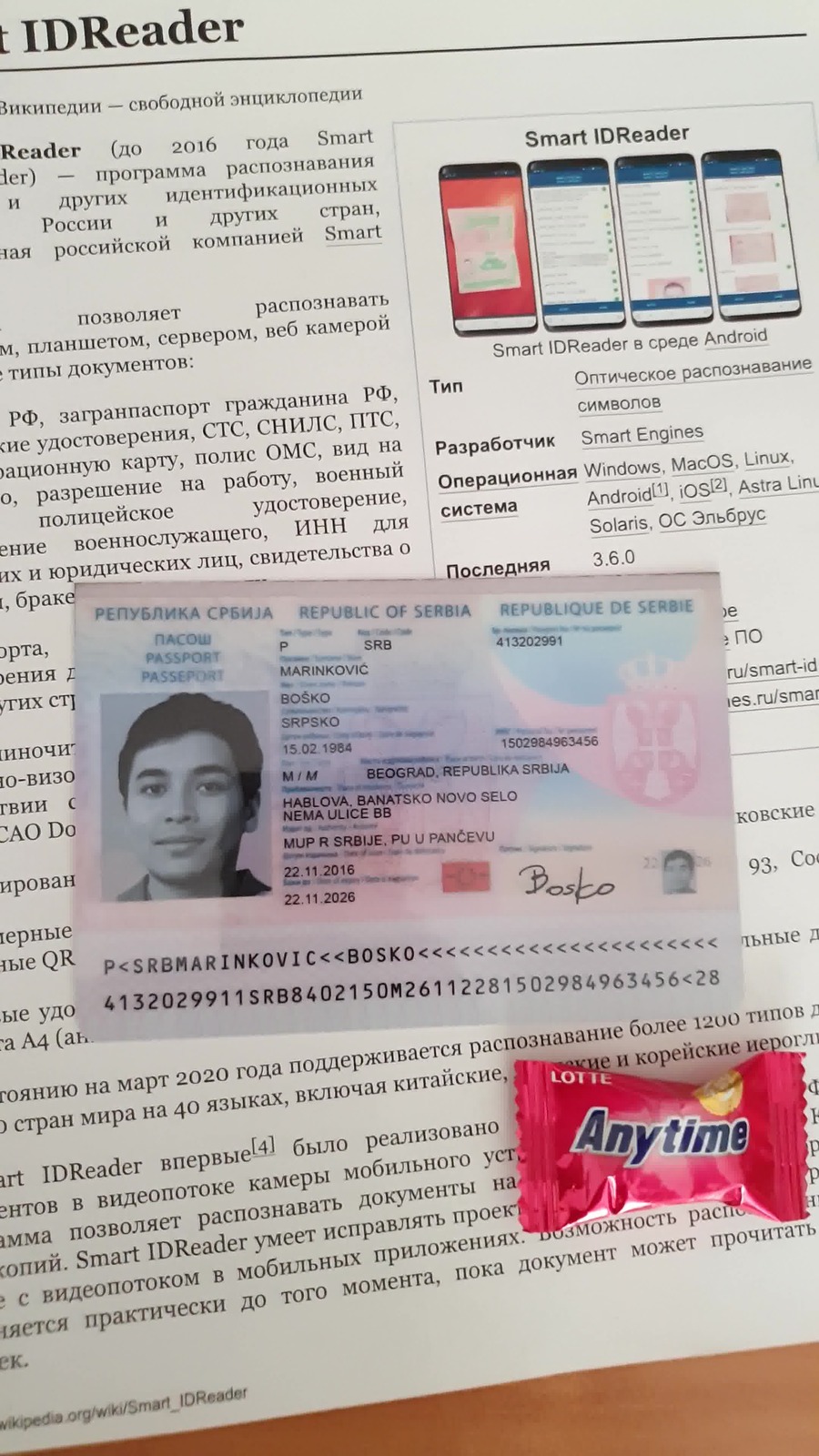
Recover an interrupted job
If the response is missing, check the operation ID from job.json in Console first. retry sends the same image, version, options and ID once; a previously accepted request returns 409 with its Request ID. Recognition output is kept only in your local response file. If it was lost after acceptance, create a new job only when you choose to calculate again. A changed image or options always require a new job.
Find by operation ID or Request ID.venv/bin/python docsaid-client.py retry docaligner-job-01The job folder contains your image and recognition results. Keep it private and remove it when you no longer need it. Share the operation ID or diagnostic receipt for support, without the input image or recognition text.
Raw HTTP examples for an existing client
These are separate setup and request snippets. The curl example uses Bash, curl 7.76 or later, cat, awk and Python 3.12 for the operation ID. The Python request uses requests. Windows users can follow the complete PowerShell tool workflow above. Keep the image, options and operation file unchanged for a retry.
export DOCSAID_API_KEY='YOUR_API_KEY'Set DOCSAID_API_KEY in your server environment or terminal. Never embed it in browser code or a public repository. Product API keys are separate from your Clerk login session.
Use a separate directory for each new job. This command creates an ID file and refuses to overwrite an existing one. Both examples read that file on every attempt. Keep the file, input and settings together.
python3 -c 'import uuid; from pathlib import Path; f = Path("docsaid-operation-id.txt").open("x"); f.write(str(uuid.uuid4())); f.close()'DOCSAID_OPERATION_ID=$(cat docsaid-operation-id.txt)
DOCSAID_CURL_STATUS=0
curl --fail-with-body --connect-timeout 10 --max-time 30 'https://docsaid.org/api/v1/models/docaligner/predict' \
--dump-header docsaid-response.headers --output docsaid-response.json \
--write-out 'HTTP %{http_code}\n' \
-H "Authorization: Bearer ${DOCSAID_API_KEY:?Set DOCSAID_API_KEY first}" \
-H "Idempotency-Key: ${DOCSAID_OPERATION_ID:?Create an operation ID first}" \
-F 'model_version=docaligner-1.1.1-fastvit-sa24-7f9f5a89' \
-F 'do_center_crop=false' \
-F '[email protected]' || DOCSAID_CURL_STATUS=$?
awk 'tolower($0) ~ /^(http|x-request-id:|x-error-code:|retry-after:)/' docsaid-response.headers
test "$DOCSAID_CURL_STATUS" -eq 0A successful response contains polygon (four corner coordinates), image dimensions, model_version and request_id.
JPEG / PNG / WebP · up to 768 KiB, 4 MP and 4096 px per side. Both models share your account allowance.
Input and preprocessingInput and preprocessing
JPEG / PNG / WebP · up to 768 KiB, 4 MP and 4096 px per side. Both models share your account allowance.
Demo accepts files up to 10 MiB, applies EXIF orientation, fits the longest side to 1600 px, flattens transparency on white and encodes JPEG at 0.92, 0.80, 0.65, 0.45 or 0.25 quality until it fits 768 KiB. It rejects images over 40 million source pixels. Downloading the processed input gives you the exact bytes used by the demo. API clients must prepare compliant files themselves; the API normalizes EXIF and color but does not resize oversized images.
Response contract
The member console provides the complete OpenAPI reference: input defaults, output types and units, nullable fields, synthetic examples and error-code handling. Sign in to download it for your client integration.
Sign in for the complete integration reference3. Check usage
Your console shows the latest 30 accepted requests and your account’s current allowance. API and playground share that allowance. Only successful requests consume the success allowance; accepted attempts also have a daily limit. A processing request reserves one slot, with at most one running request per account.
Daily quotas reset at 00:00 UTC. Requests belong to the UTC day they were accepted. Administrators can change allowances or reset free usage immediately; request history is preserved. A request already running when usage is reset still reserves a slot until it completes.
The application does not retain uploaded images or prediction results.
Find a request by its full IDRetries and errors
For duplicate protection, send a unique Idempotency-Key for each new operation: 1–64 letters, digits, dots, underscores, colons or hyphens. Reusing an accepted key returns 409 without running the model again. Protection is shared across all API keys and playground calls in your account. Results are not replayed because they are not stored.
X-Error-Code distinguishes busy workers, rate limits, daily limits and uncertain results. Respect Retry-After when present, use bounded retries with backoff, and check usage before retrying uncertain results. A daily limit resets at 00:00 UTC.
| HTTP | Meaning / next step |
|---|---|
| 400 | The image could not be decoded. Check the file and send a valid image. |
| 401 | The API key is missing, invalid, expired or revoked. Check the Authorization header or create a new key. |
| 403 | The key does not allow this model, or the account is suspended. Check the key’s model access in the console. |
| 409 | This Idempotency-Key was already accepted. The model was not run again and its previous result is not stored. Check usage before starting a new operation. |
| 413 | The image exceeds the upload or dimension limit. Choose a smaller image. |
| 415 | Use a single-frame JPEG, PNG or WebP image. |
| 422 | No valid result was found, or a field is invalid. Check the input and try again. |
| 429 | Your allowance or concurrent request limit was reached. Check usage and wait before retrying. |
| 503 | The service is busy or temporarily unavailable. Please try again later. |
| 504 | The request timed out. Check usage before retrying; the outcome may be unknown. |
A timeout or interrupted response can leave the outcome unknown. Incomplete requests become unknown after two minutes when usage is refreshed. Check usage before retrying. Keep the X-Request-ID header for support. All beta requests are unbilled.
Sign in for the complete integration referenceDocAligner and MRZScanner are available through the API and playground. Beta requests are free; no payment setup is needed.
Service status & API changesConsole