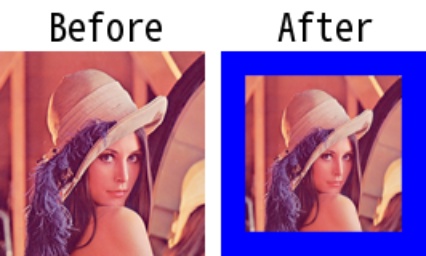
pad
-
Description: Applies padding to the input image.
-
Parameters
- img (
np.ndarray): The input image to be padded. - pad_size (
Union[int, Tuple[int, int], Tuple[int, int, int, int]]): The padding size. Can be an integer to specify the same padding for all sides, a tuple(pad_top, pad_bottom, pad_left, pad_right)for different padding sizes for each side, or a tuple(pad_height, pad_width)for the same padding size for height and width. - pad_value (
int | tuple[int, ...] | None): Padding value. For 3-channel images, you can pass an int or a tuple (OpenCV convention: BGR). For grayscale images, it must be an int. Default is 0. - pad_mode (
Union[str, int, BORDER]): The padding mode. Available options:BORDER.CONSTANT: Pad with a constant value (pad_value).BORDER.REPLICATE: Pad by replicating the edge pixels.BORDER.REFLECT: Pad by reflecting the image around the edge.BORDER.REFLECT_101: Pad by reflecting the image around the edge with a slight adjustment to avoid artificial artifacts. Default isBORDER.CONSTANT.
- img (
-
Returns
- np.ndarray: The padded image.
-
Example
import capybara as cb

img = cb.imread('lena.png')
pad_img = cb.pad(img, pad_size=20, pad_value=(255, 0, 0))

# Resize the padded image to the original size for visualization
pad_img = cb.imresize(pad_img, [img.shape[0], img.shape[1]])