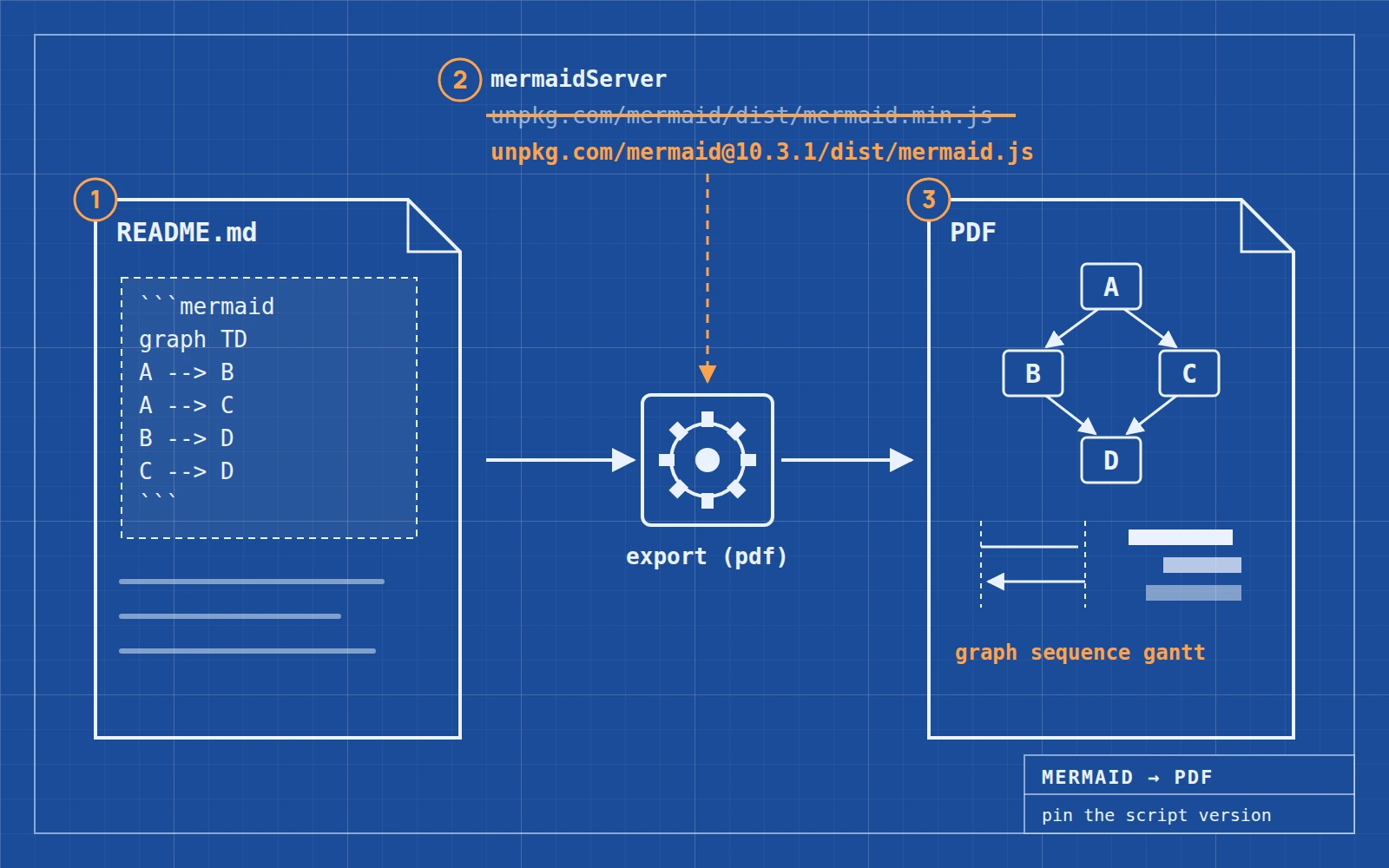
Using VS Code to turn Markdown into a PDF is straightforward until a document contains a Mermaid diagram. The Markdown PDF extension may export the diagram as source text or leave a blank page. This note records the symptoms and a version setting worth trying.
Markdown PDF
The extension page looks like this:
The advantages of Markdown PDF include:
- Directly call VS Code’s Command Palette → “Markdown PDF: Export (pdf)” to generate PDFs, supporting multiple output formats such as HTML / PNG / JPEG.
- Built-in puppeteer, which can render HTML → PDF in headless Chrome, so math formulas (KaTeX), code block highlighting, and CSS themes are all preserved perfectly.
- Allows customizing the Mermaid Server URL, which is the key to fixing the export error below.
After installation, several properties appear in settings.json. This article focuses on markdown-pdf.mermaidServer.
Mermaid Export Error
When the Markdown contains the following syntax:
graph TD
    A --> B
    A --> C
    B --> D
    C --> D
Using this site’s built-in feature to render the above as a Mermaid diagram looks like this:
Functionally, everything works fine — the VS Code preview panel shows no errors. However, exporting to PDF may result in two situations:
-
No response at all: The original Mermaid block is parsed as plain text in the PDF, without any diagram rendering.
graph TD A --> B A --> C B --> D C --> D -
Bomb icon + blank page: The PDF shows only a “💣” icon or a blank page, with the Mermaid text appearing as-is.
The related issue reports point to a compatibility problem between Markdown PDF and newer Mermaid releases.
Issue reports show that changing the Mermaid script URL restores some diagrams, but results vary by version and diagram type. The script loaded during export is therefore worth checking; a working preview alone does not guarantee a working PDF.
Solution
Go to the settings page, find markdown-pdf.mermaidServer, and point it to Mermaid 10.3.1 version, as shown below:
Replace the original default URL:
https://unpkg.com/mermaid/dist/mermaid.min.js
with:
https://unpkg.com/[email protected]/dist/mermaid.js
Are other versions feasible?
Related GitHub reports include:
- Markdown-pdf: Mermaid Server VSCode URL no longer resolves #312
- [BUG] Mermaid Diagrams Not Rendered in Exported PDF #342
Below are two commonly recommended solutions:
In the versions tested at the time, 10.3.1 exported Graph, sequenceDiagram, and gantt successfully. Other diagram types, including classDiagram and stateDiagram, were outside that test. Before changing versions for a larger document, export a sample of each diagram type and inspect the PDF.
Extension and Mermaid releases may have changed since this note was written, so the generated PDF remains the final check.